
0


FOXWELL T2000 Pro TPMS Programming Tool Relearn Activate Sensors Tire Pressure Sensor TPMS Scan Tool TPMS Relearn Tool
CHF199.00
The Foxwell T2000 Pro is a professional TPMS programming and diagnostic tool designed for T10 sensors. It activates, relearns, and programs tire pressure sensors while offering full TPMS system diagnostics. With OBDII functions, wide vehicle coverage, and multilingual support, it helps users monitor tire health, detect faults, and ensure safe driving conditions.
- Weight:1.5 KG
Beschreibung
FOXWELL T2000 Pro TPMS Programming Tool Relearn Activate Sensors Tire Pressure Sensor TPMS Scan Tool TPMS Relearn Tool
NEW ARRIVAL! FOXWELL T2000 PRO TPMS Service Tool, TPMS Programming Tool Only for T10 Sensors (315/433MHz)
FOXWELL T2000 PRO is a professional TPMS diagnostic and maintenance tool which can activate / decode universal TPMS sensors, program the T10 TPMS sensor and diagnose the original car tire pressure monitoring system. The T2000 provides a complete solution for TPMS servicing.
Newest FOXWELL T2000 Pro TPMS scan tool offer faster and smarter TPMS repairs for mechanics/DIYERs. T2000 Pro TPMS programming tool can perform TPMS diagnostic and comprehensive TPMS health check, turn off TPMS MILs, Read Sensor ID by OBD, Sensors Relearn & Activation, TPMS Programming (!!!only T10 sensor, does not support any other manufacturer’s sensors and the package does not include T10 sensor!!!), Tire Type/Pressure Selection, etc. Let you know the state of the tyres, do-it-yourself to get auto TPMS sensors analyzed and replaced, and can always adjust the tyres to the best condition for driving.
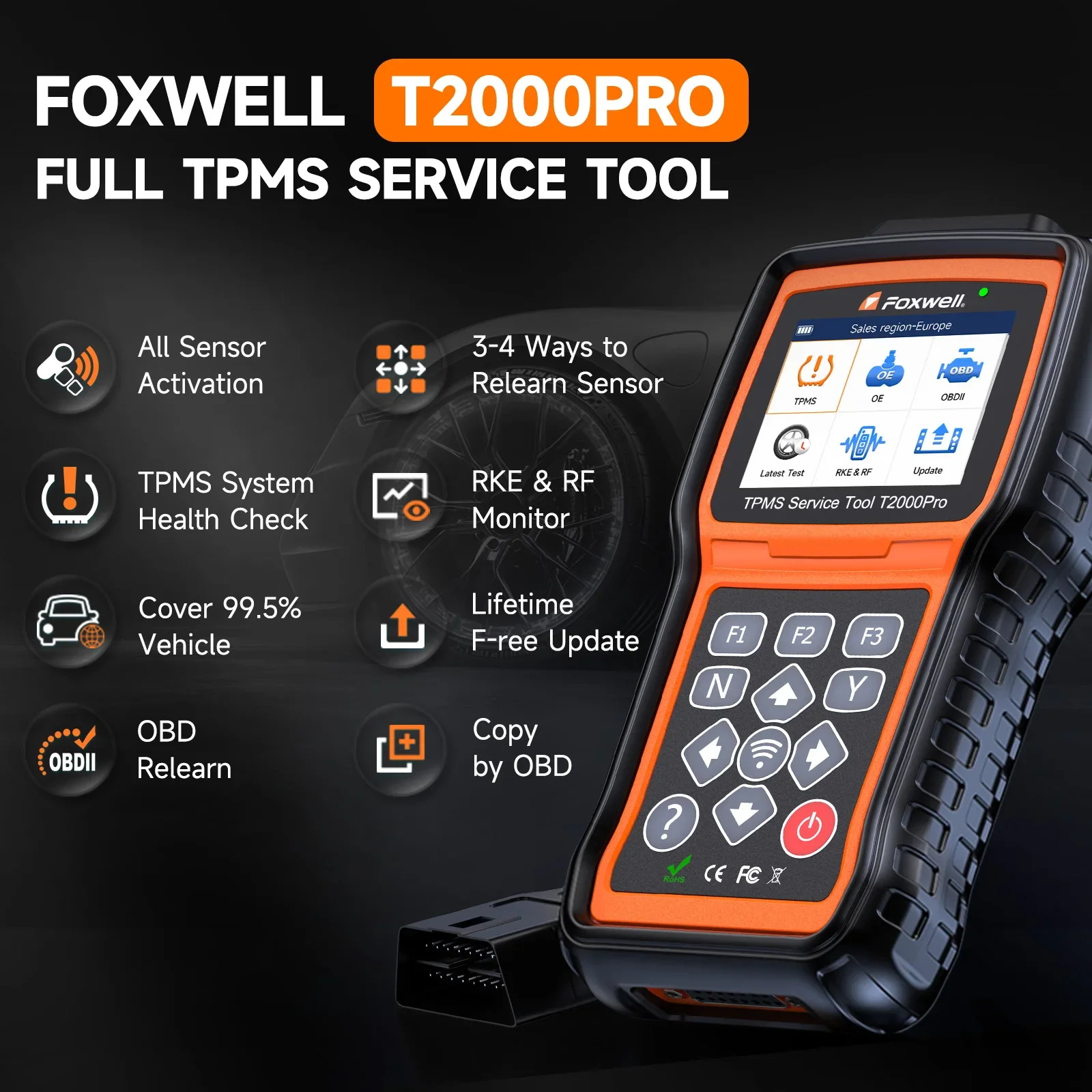
Why Choose FOXWELL T2000 Pro ?
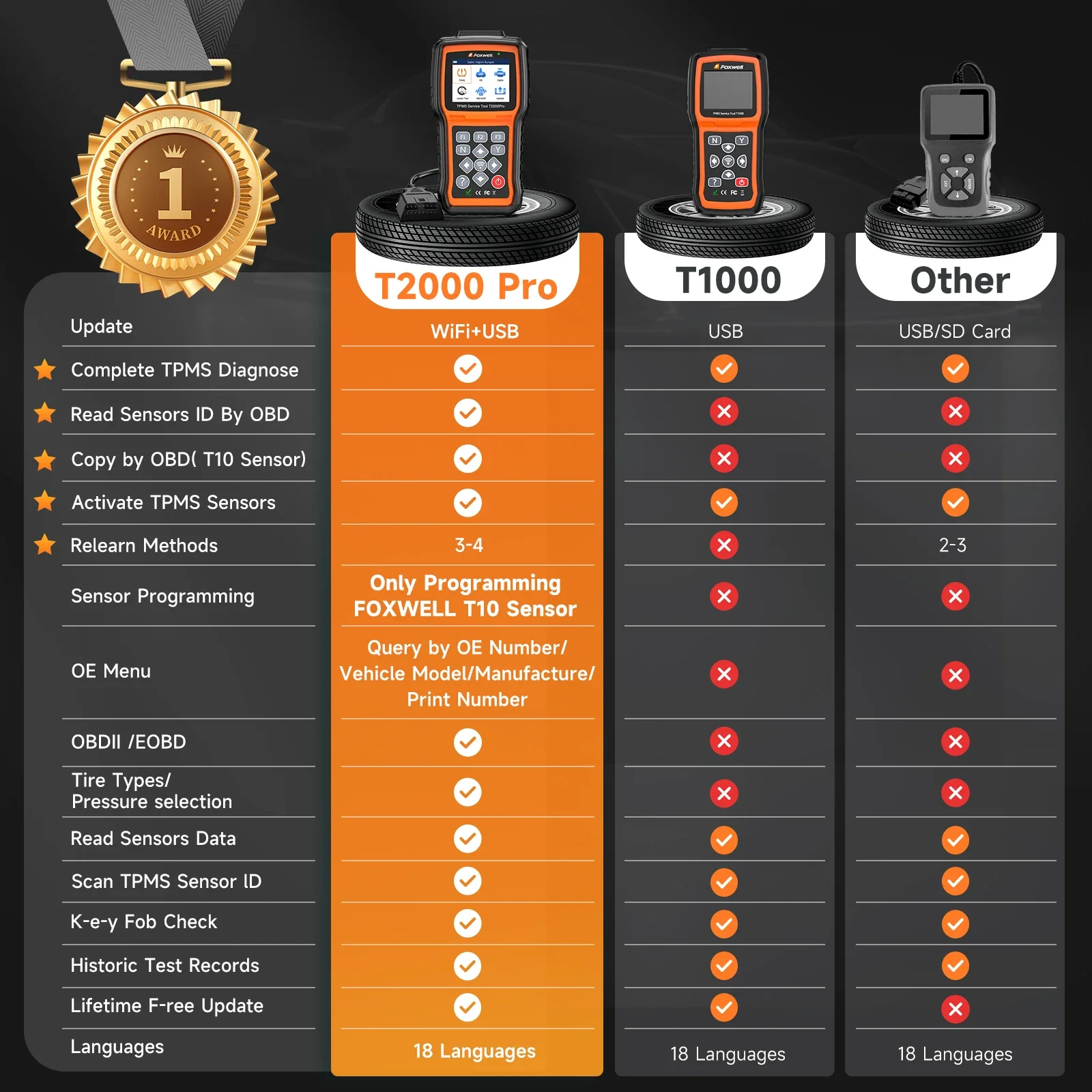
Have you Encountered Many Issues when Changing Your Tires?
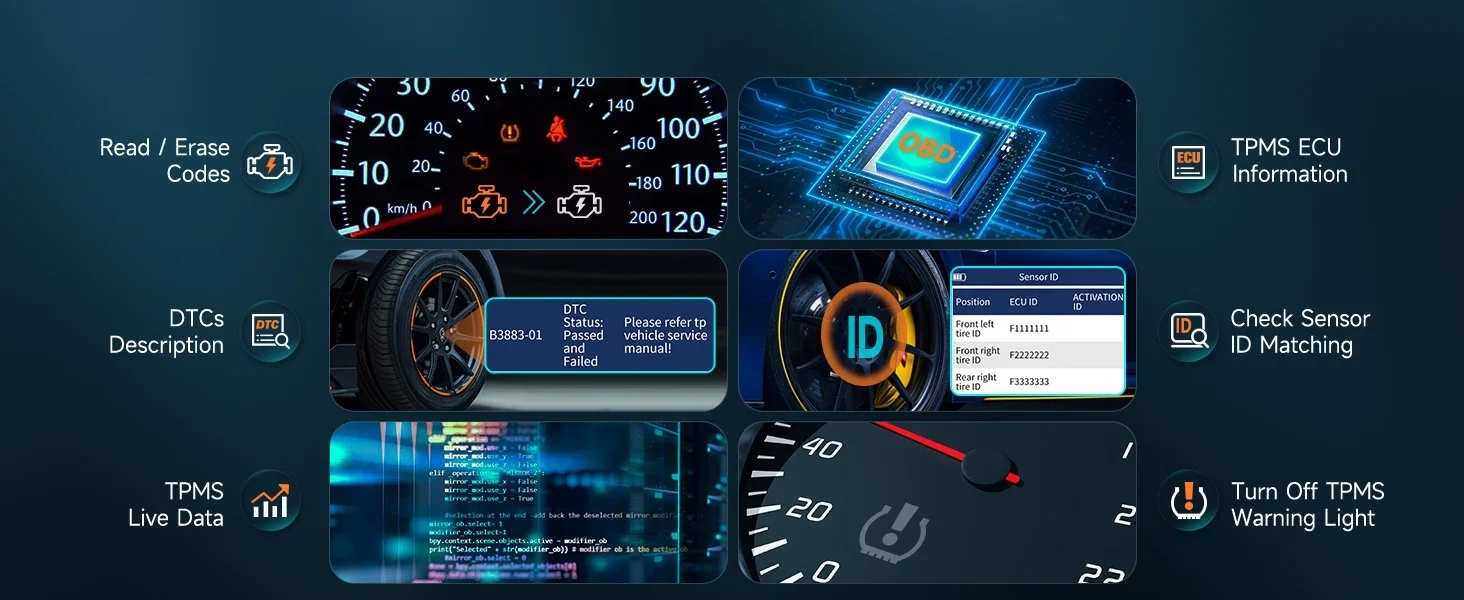
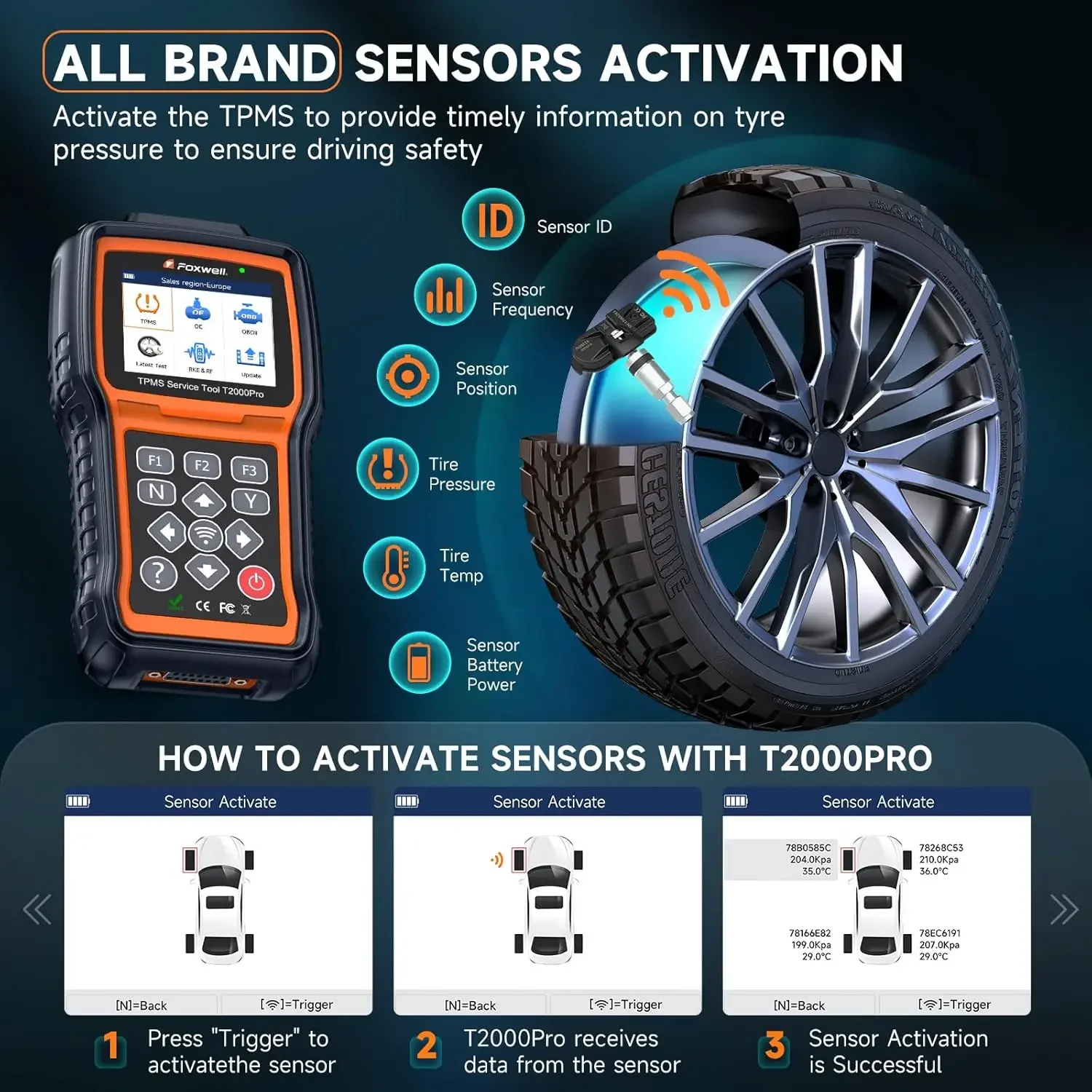
T2000 Pro TPMS reset tool can activate all known TPMS sensors, quickly get all sensor data like sensor ID, tire pressure, tire temperature, battery status, sensor position, frequency, etc. Allows you find out sensor-related problems, deflation in the tires and the rotation of wheels. And with TPMS diagnostics, easily can read or clear codes, ECU infor, live data, etc. It can help you find out problems with TPMS system faster, monitor wheel conditions and ensure driving safety.
Complete TPMS System Scan Tool
T2000 Pro can diagnose the TPMS system through OBDII connection to read codes and clear codes, and quickly find out faulty and turn off MILs. This tpms scan tool also with tire type/pressure selection functions: when the TPMS MIL is still on after faults are cleared, you need this function to set right value.Complete TPMS System Scan Tool
T2000 Pro can diagnose the TPMS system through OBDII connection to read codes and clear codes, and quickly find out faulty and turn off MILs. This tpms scan tool also with tire type/pressure selection functions: when the TPMS MIL is still on after faults are cleared, you need this function to set right value.


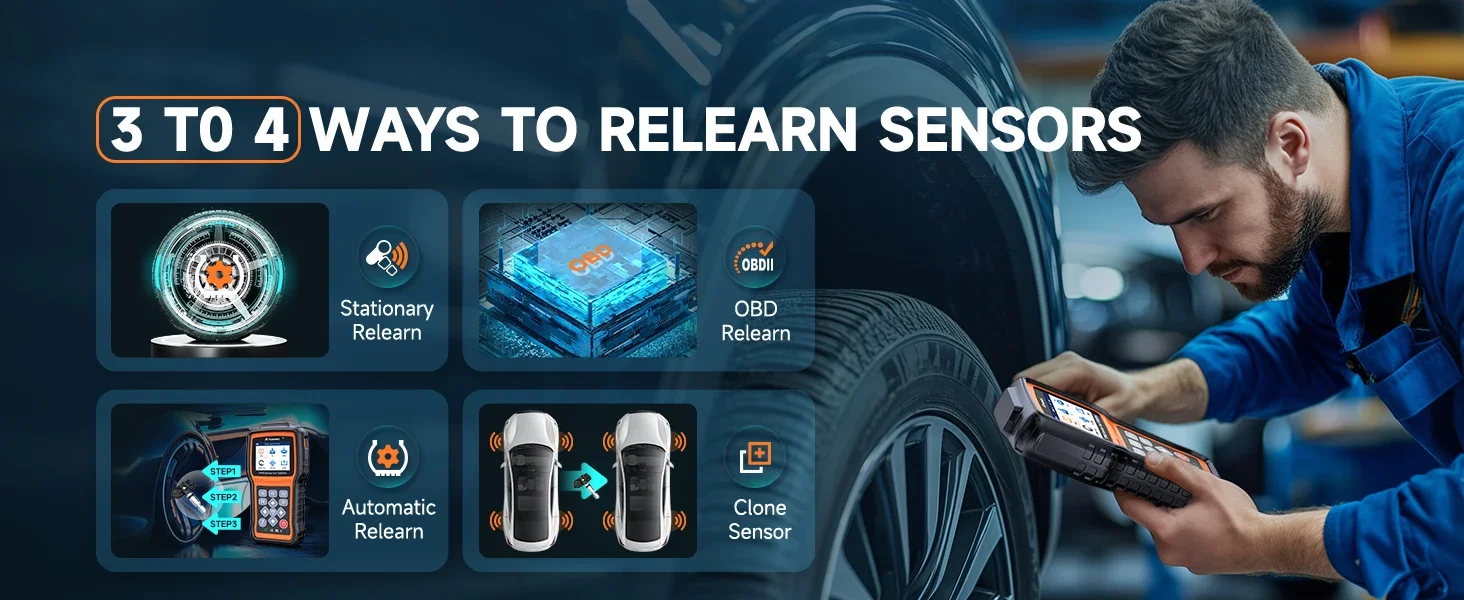
Relearn All Known TPMS Sensors
After a tyre change, tyre repositioning or TPMS sensor replacement, the system needs to relearn or calibrate the position of each tyre and the corresponding sensor information. This TPMS Tool offers 3 ways to relearn sensors.
➊Stationary Relearn: vehicle in learning mode to trigger sensors and learn sensor.
➋Auto Relearn: can be completed by driving.
➌OBD Relearn: use the T2000 Pro TPMS relearn tool to write sensor IDs to the ECU via the OBD interface.
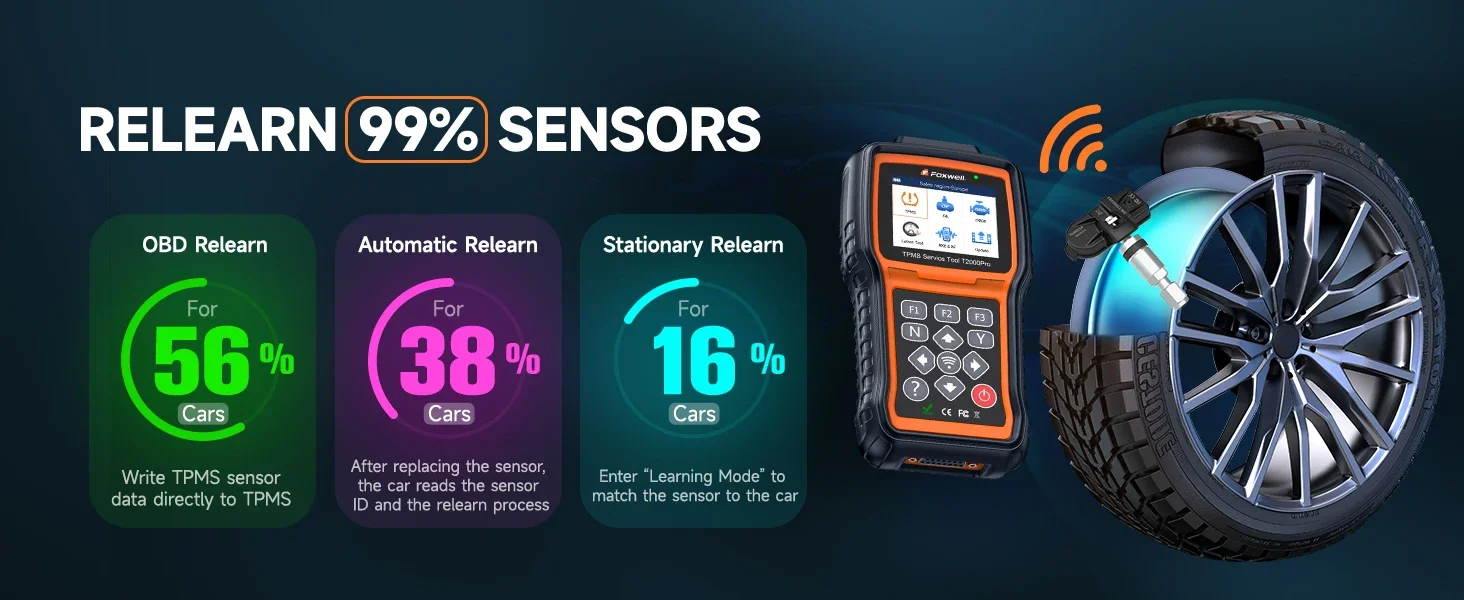
Programming FOXWELL TPMS Sensors
With this TPMS programming tool, you can program FOXWELL exclusive T10-sensor to meet the specifications of a particular vehicle before new sensor installation and relearn. Therefore, the healthy T10 Sensors can measure tire pressure and temperature accurately, allowing you to know tire health conditions, which can replace more than 95% of the original or OEM sensors. 3 different sensor programming methods are supported by This FOXWELL TPMS programming tool T2000 Pro: Copy by Activation; Manual Create; Automatic Create; Copy By OBD. (Note: T2000 Pro only program a replacement sensor only if it is the FOXWELLT10 sensor.)
Activate All-Known Brand Sensors
This FOXWELL TPMS scan tool T2000 Pro enables you to activate 98% known OEM/Universal TPMS sensors in the market. You can rapidly and accurately trigger and decode sensors to read their ID, pressure, temperature, battery, frequency and OE Part number before servicing the tires/wheels or when you are performing programming or relearn. No need to purchase a separate activation tool. The sensor activation will be finished in seconds through two methods: in All wheel mode and in Single wheel mode.
how to perform sensor activation function and how to read the OEM sensor information? Firstly, choose correct menu according to the car make/model/year and click menu «sensor activate». Then, put the T2000 Pro tpms tool near to the tire sensor and click «trigger» button to begin the activation.
Q: for example, if the car is 2017 Cadillac XT5, how can I locate the correct menu to perform sensor activation? A: choose «TPMS»—«USA»—«Cadillac»—«CT5»—>
2016/01-2021/06(433 MHz)(13598773)
2018/01-2021/12(433 MHz)(13516165)
2017/01-2019/12(315 MHz)(13589597)
2018/01-2020/06(315 MHz)(13516164)
There are 4 menu options and how to choose the right one? Firstly, you could exclude two menus if you know your key fob frequency. For example, if your key fob frequency is 433 MHz, you could exclude the last two menu with 315 MHz, and the right menu will be located on the first two. Then you could try both first two menus with 433 MHz and see which one will work for your car. If you don’t know the key fob frequency, you could also try all the four menus to see which one will work on your car.
Tips: during the activation, remember to place the T2000 Pro near the tire sensor or it will fail to receive the singal. If one menu option fails to work on your car, kindly try other menu options or contact for support.
More Advanced Features==OBD2 CHECK
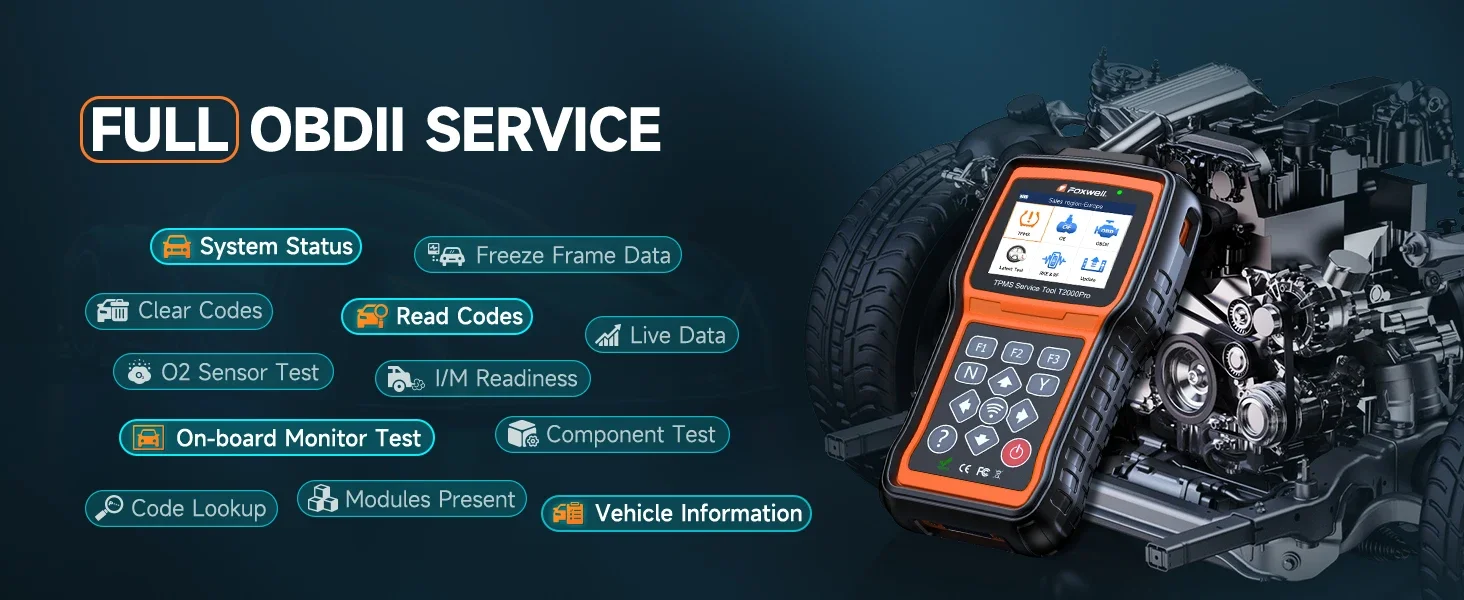
T2000 Pro with OBD II menu lets you access all OBD service modes
When OBD II application is selected from Home screen, the scanner starts to detect the communication protocol automatically. Once the connection has established, a menu that lists all of the tests available on the identified vehicle displays.
Menu options typically include:
● System Status
● Read Codes
● Freeze Frame Data
● Clear Codes
● Live Data
● I/M Readiness
● O2 Sensor Test
● On-board Monitor Test
● Component Test
● Vehicle Information
● Modules Present
● Code Lookup
99% VEHICLE COVEERAGE
Compared with other similar products, this FOXWLEL T2000 Pro will be compatible with more models.


Lifetime Free Update

Specifications
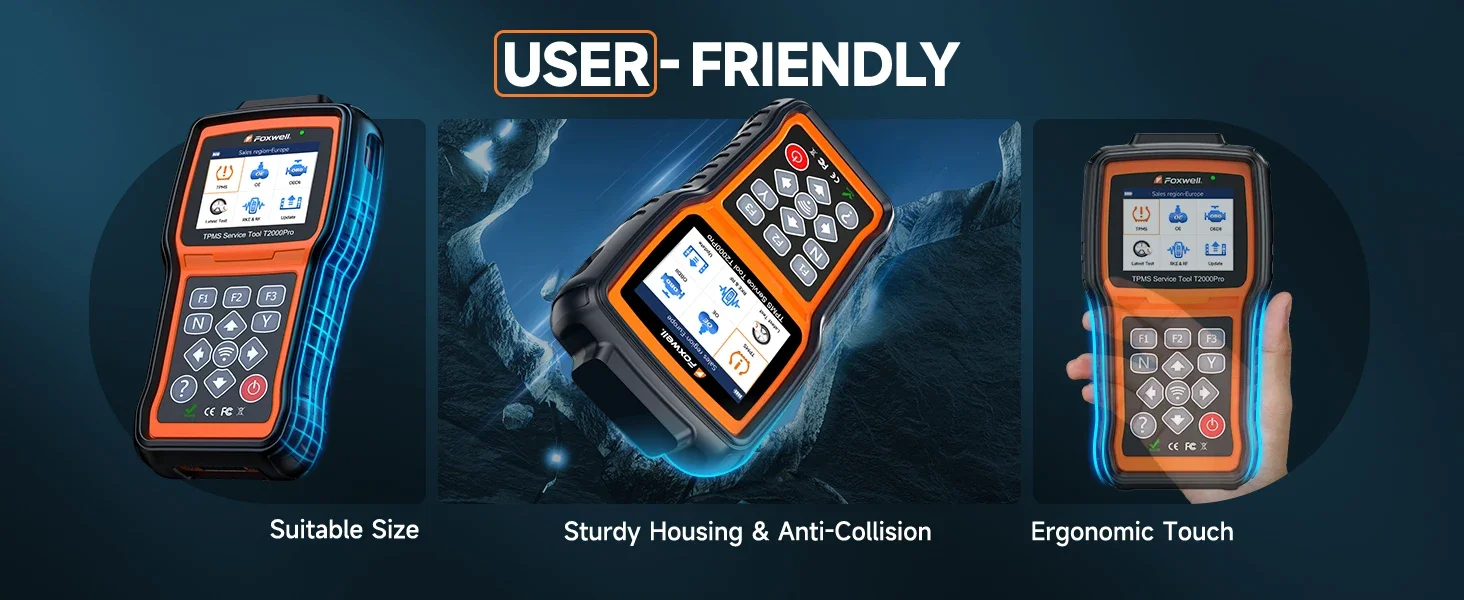
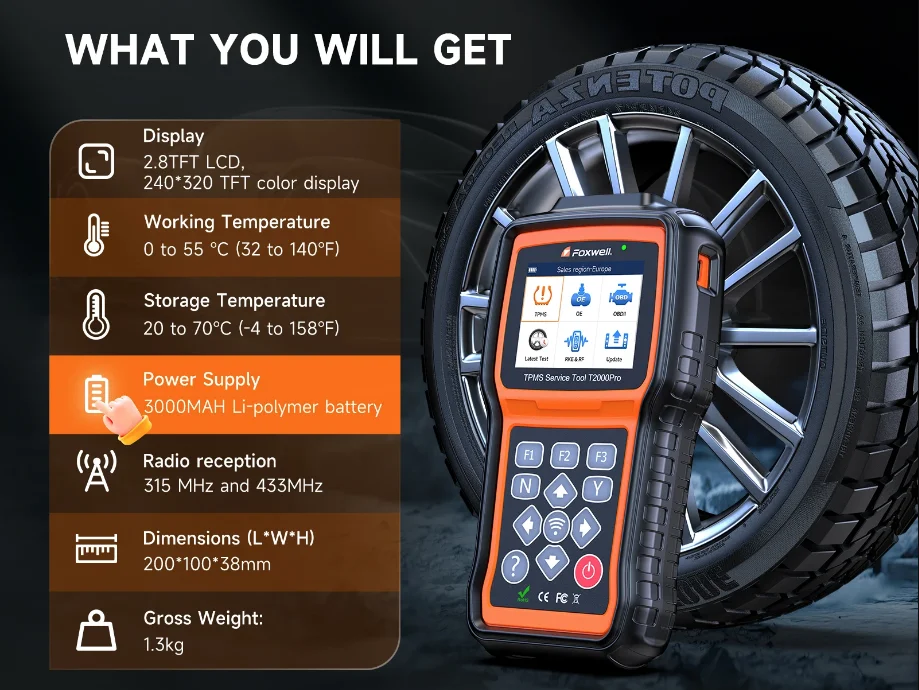
Display: Backlight, 240*320 TFT color display
Working Temperature: 0 to 55 ℃ (32 to 140℉)
Storage Temperature: -20 to 70℃ (-4 to 158℉)
Power Supply: 3.7V/2200mAH Li-polymer battery, 3.3V USB power
Dimensions (L*W*H): 200*100*38mm
Gross Weight: 1.3kg
Radio reception: 315 MHz and 433MHz
PACKAGE LIST
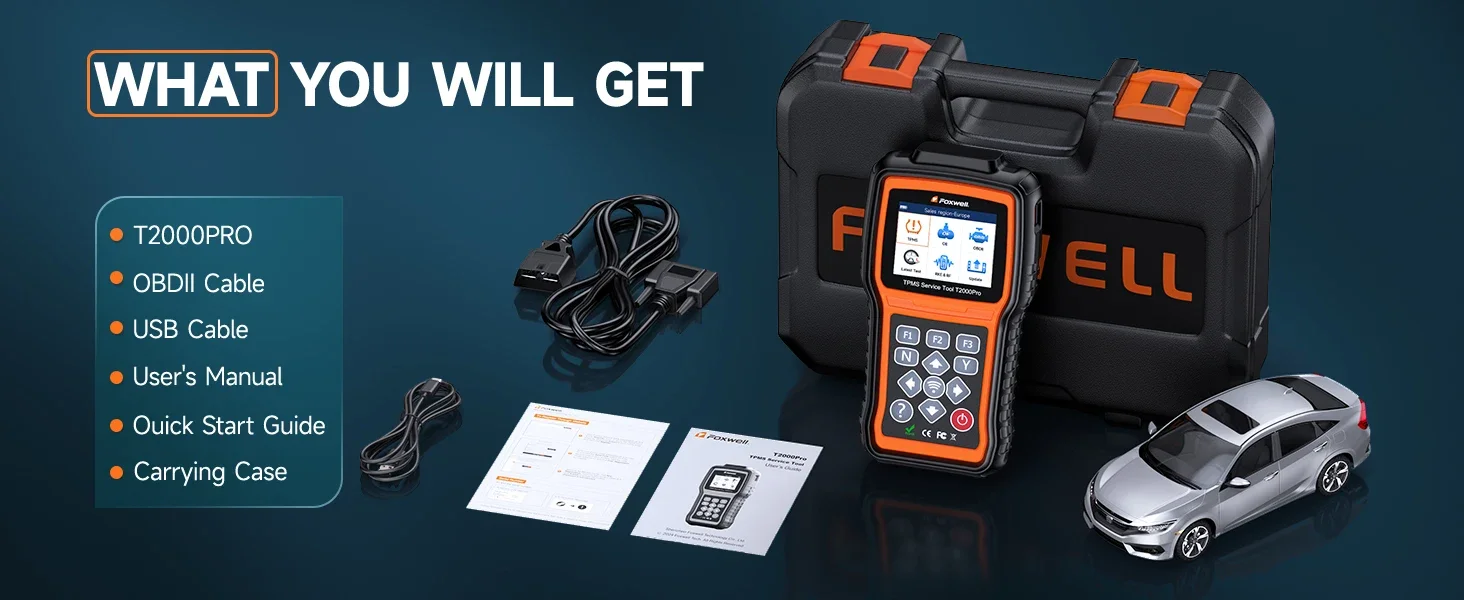
1*T2000 Pro Main Unit
1*Magnet
1*USB Cable
1*Battery Charger
1*Quick Start Guide
1*Blow Molding Case
1*User Manual
Sie müssen angemeldet sein, um eine Rezension veröffentlichen zu können.
Ähnliche Produkte
-

Ancel BM700 OBD2 Automotive Scanner Full System Enhanced OBD OBD2 Car Diagnostics Auto Fault Code Reader Scanner
CHF114.00 In den Warenkorb -

ANCEL BD310 OBD2 Scanner Scan Professional 3 in 1 On-Board Computer For Car Digital Meter OBD 2 Car Diagnostic Tools Free Update
CHF81.00 In den Warenkorb -

ANCEL BM300 Car Battery Tester Auto 12V Car Battery Analyzer Android IOS Circuit Electrical System OBD2 Scanner Battery Tester
CHF39.00 In den Warenkorb -

ANCEL BZ700 OBD2 Automotive Scanner for Mercedes Benz Sprinter Smart All System Car Diagnostic Tool
CHF119.00 In den Warenkorb
Rezensionen
Es gibt noch keine Rezensionen.